Change to grafiQa mail configuration


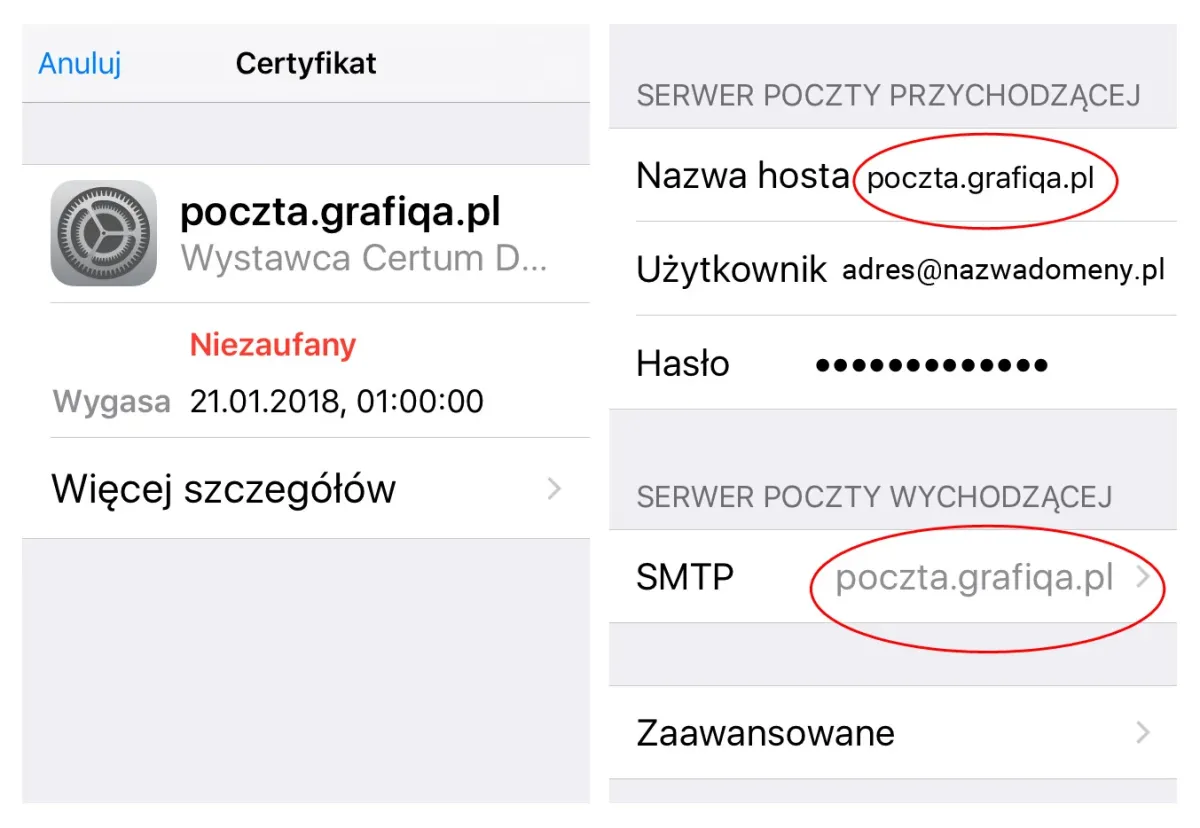
Apple has recently released updates to iOS and OS X in which the list of trusted SSL certificates was revised. Some entries, including the certificate we had been using, were removed from the trusted list. As a result, we had to change our certificate, and users need to check and update their mail settings. Users with Apple devices running the latest software may see a message about failed authentication due to an untrusted certificate when downloading mail. This happens when the POP3, IMAP or SMTP server field contains an IP address instead of the server name. If this happens, please check your mailbox configuration and, wherever you find the IP address 195.191.63.222, replace it with the server name: poczta.grafiqa.pl.
If you see a similar message, please check that the server name has been entered correctly, as in the preview shown alongside.