300 days with Quick.Cms.Ext 6.x



It has now been 300 days since we started getting to know Quick.Cms.Ext 6.0. Since then – specifically since the end of February this year – OpenSolution has already released version 6.1 and is working on the next one. We had been looking forward to the February release for many reasons. It was meant to be a breakthrough in the 10-year history of Quick.Cms: a script containing everything web developers need to design and build modern websites without looking to WordPress, Joomla or Drupal. All this was to be achieved while keeping the core qualities that have distinguished these scripts since their first versions – speed, simplicity and flexibility of implementation – while making Quick.Cms even more user-friendly and versatile.
So, did it deliver?
... It did! For the first time in the history of OpenSolution, which we have worked with for over 5 years, a new breakthrough version of Quick.Cms was based on assumptions drawn not only from the authors' own experience but also from the community of developers gathered around this popular CMS. As a result, the conclusions and suggestions of users reporting their feedback to webmasters were taken into account (it is worth remembering that the OpenSolution webmaster community consists of several dozen web development companies and OS statistics show over 32,000 implementations). All of this allowed the authors to develop a CMS that gives website developers more possibilities, and users greater convenience and optimal solutions that let them control not only the content but also the components of their site.
Visual changes on the front end
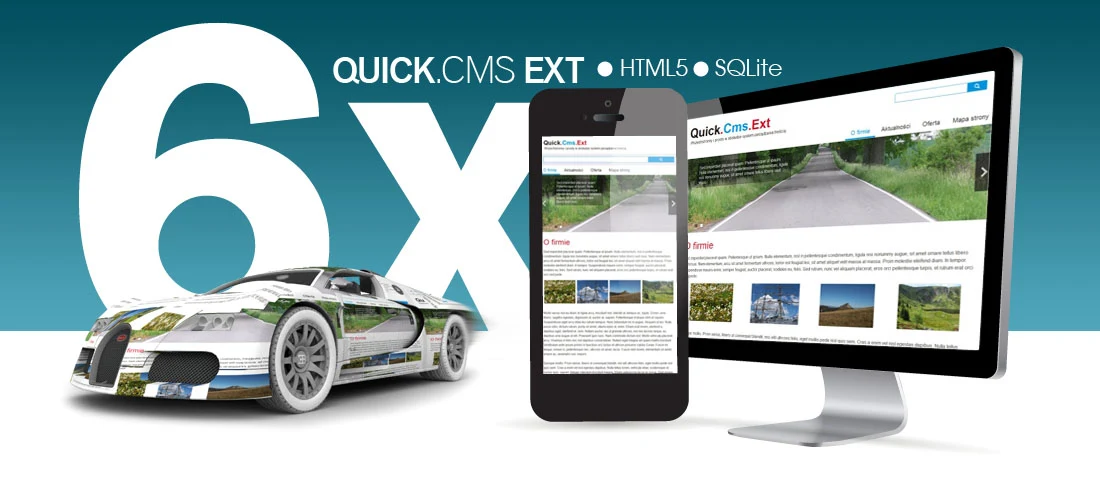
The default (RWD) template, which is always our starting point, has no extra column divisions but adapts to mobile devices, and is simple and clear. The starter template clearly reflects contemporary trends – font sizes and well-spaced elements. The simplified colour scheme without unnecessary detail also helps. Still, since we always approach each project individually, the starter template is like a block of wood from which a sculptor has yet to carve a form that will delight the viewer. Although my artistic training leans more towards painting than sculpture, this comparison seems more fitting: a piece of wood that already has some form can suggest to its maker, through its shape, what it might become. Likewise, for those who prefer to start from a template, the Quick.Cms starter layout lets you begin with something that looks contemporary without imposing a solution. Even though I treat the default template as a blank sheet and usually design the site from scratch, I must admit that the new layout helps rather than hinders compared with its predecessors.
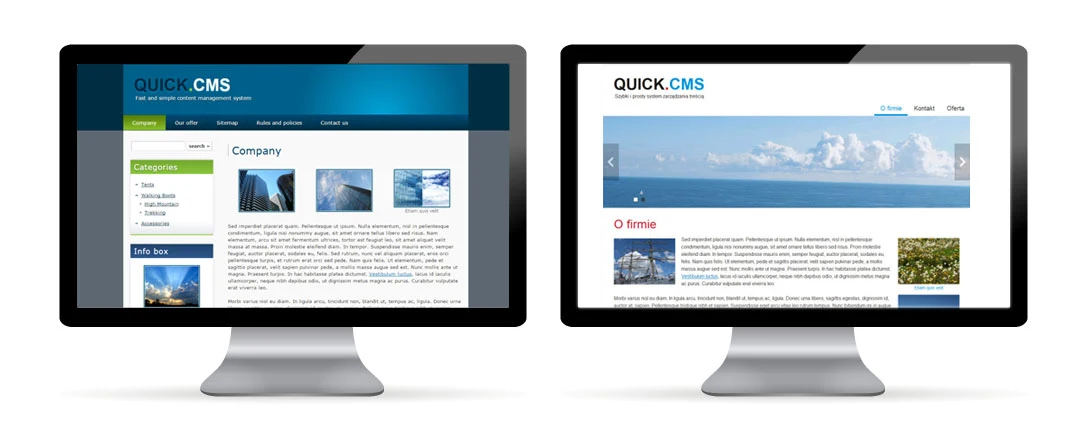
The new version uses HTML 5, Cascading Style Sheets ( CSS 3) and integrates the jQuery library which also gives Quick.Cms.Ext greater presentation capabilities. Designers have more options for showcasing content effectively, and users will certainly appreciate a range of admin panel features for editing and presenting photos. The tagline (the slogan under the logo), which for many years read: "Simple and fast content management system", has been replaced by the authors with "Versatile and easy to use content management system". The new wording is no accident: it hints at a number of changes in the software's architecture and their consequences. But the word "fast" has been dropped. What happened to speed?
Speed and ... fuel consumption?
Until now Quick.Cms was known for its simplicity and speed, which classed it as a tool for small, simple websites. The word "versatile" replacing "fast" shows a whole new side of OpenSolution's approach to its scripts. The result is a product on which larger, more complex websites can be built – one that can meet greater functional challenges.

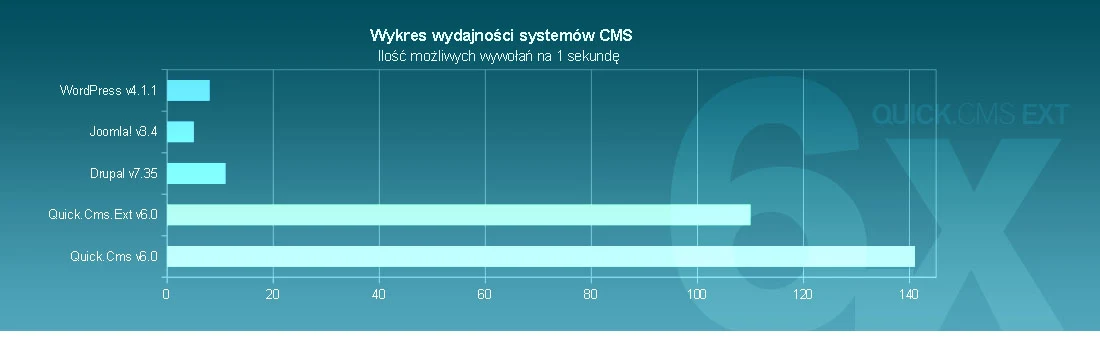
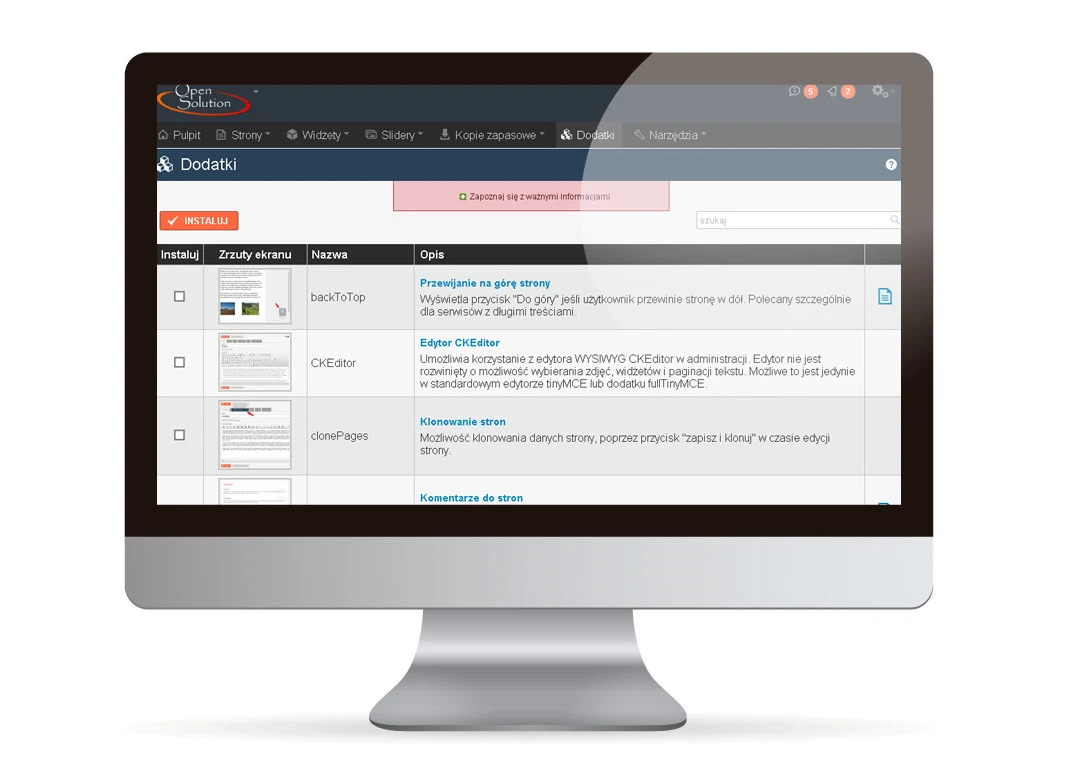
Thanks to the database change from a flat-file database to SQLite, the system gained performance, stability and adaptability. Managing the database itself has become possible for users without any special programming "rally driving skills". Getting the script running on a server is still a simple operation that takes no more than a minute. Add-ons in the Ext version install automatically, conveniently and quickly. A minor drawback is that they cannot be uninstalled. Even so, this is not a nuisance, as installation is a one-off task and installed add-ons put no load on the site until they are enabled. Extensive documentation in Polish – not only on the OpenSolution website but also in the configuration file itself – provides almost exhaustive information without overtaxing the brain. Quick.Cms.Ext takes up about 1.5 MB of disk space and has a simple file and folder structure with very readable, optimised code. The database change alone has made it marginally slower than earlier versions. However, the alternatives Quick.Cms can confidently compete with – such as Joomla, Drupal or WordPress – remain far behind in the benchmarks. There are no statistics yet on satisfaction with the admin panel's ease of use, but I am sure that if there were, Quick.Cms.Ext would have a good chance of fighting for the top step of the podium.
Driving comfort.
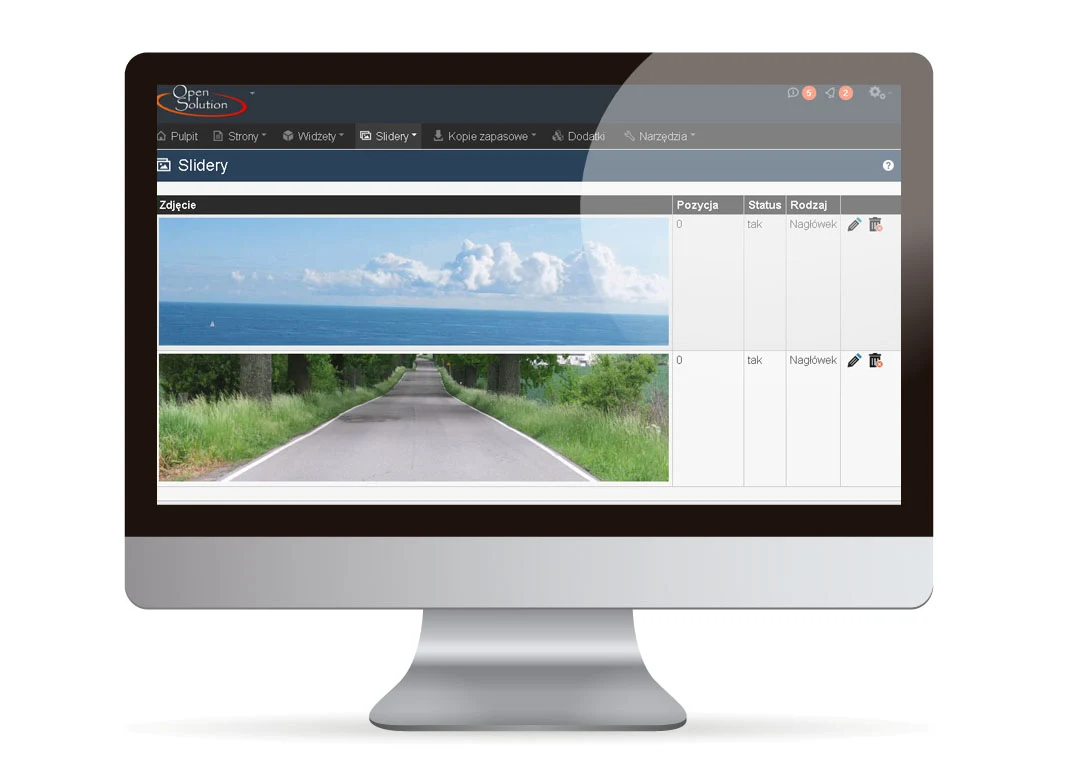
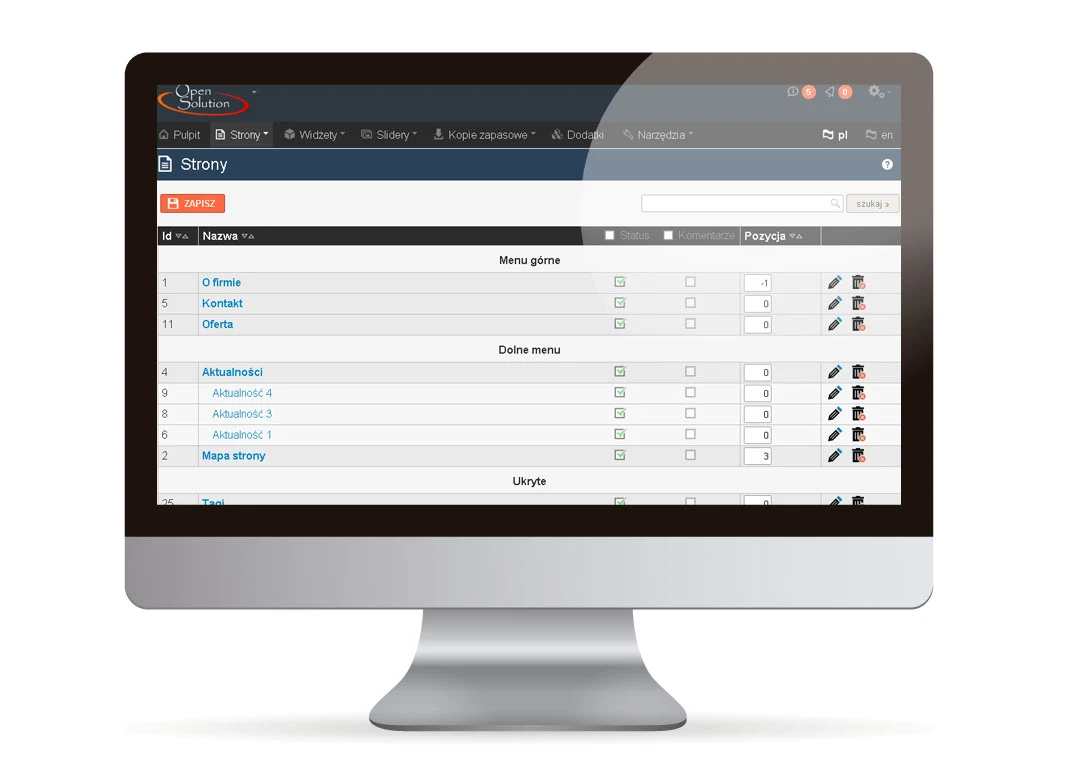
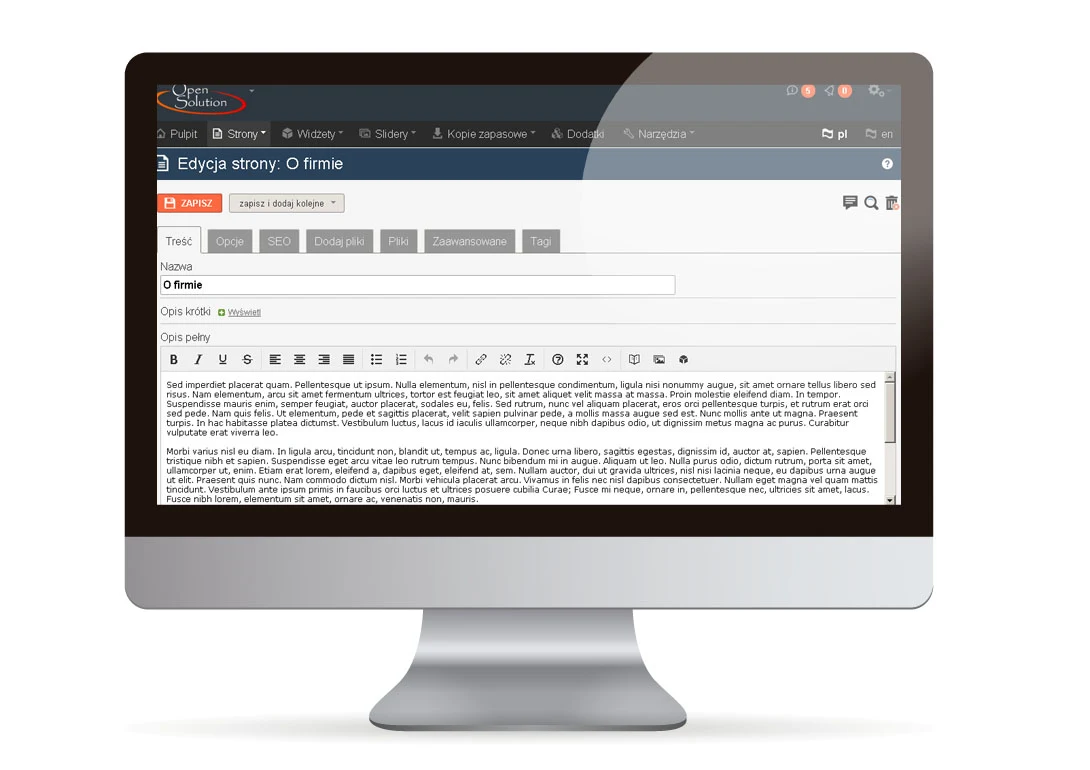
The admin panel has gained a lot. It is more modern and intuitive. The whole panel has been optimised in terms of layout and the number of options, and the menu, free of the shortcomings of earlier versions, has been streamlined too. Like the front end, page editing in the panel uses a single column, with options grouped into tabs. Everything is clear and in its place. The multi-function SAVE button, with options to add another new page or clone the one being edited, is a real convenience. This functionality existed in previous versions as separate buttons, but the drop-down list is very practical. A logged-in administrator can edit a subpage or delete it directly from the website. Clicking the magnifying glass while editing a page opens a preview in a new tab. This is a little cumbersome when editing many subpages, as the tabs pile up and become hard to navigate, but it is easy to change so that the preview opens in the same tab. The former BOXES feature has been replaced by WIDGETS, which let you configure add-ons and insert content – such as forms, page lists, menus, sliders or extra features – anywhere on the page. The configuration file contains a great many options that make life easier for webmasters and site administrators.
Security
The new version also brought new recommendations on securing websites, and as a platinum partner we are obliged to follow them. However, a website's security does not depend on the system alone. Unintentional actions by the site manager can get them into trouble, so to reduce that risk the authors of the new Quick.Cms decided to keep users' room for overenthusiasm to a minimum and moved most key settings to the configuration file. In addition, the developer building the site can use the settings to significantly restrict access to many elements of the admin panel, while in developer mode they can log in to the panel and make any necessary corrections. All this so that the site administrator can count on help with technical problems and the website developer can provide support under optimal conditions.
Straight from the showroom, with a warranty and a view to the future
Everyday use is a pure pleasure, both for beginners and for those who have known these scripts since older versions. After 300 days of working with them, I can say it is not hard to give up habits acquired in versions 3, 4 and 5 in favour of what version 6.x offers. There are some drawbacks, though. Language versions of a site, which in previous editions of Quick.Cms were easy to generate and required little beyond entering the translated texts, can now – depending on the site – be time-consuming and therefore more expensive for the client. However, this only affects very complex, multi-template sites, and I hope it will be solved in future editions of Quick.Cms EXT.
The basic paid version 6.1 – Quick.Cms.Ext costs PLN 449 net, including a one-year warranty and support. It can be extended with more sophisticated options by purchasing the additional extension pack Quick.Cms.Ext + for PLN 199 net, or you can buy Quick.Cms.Ext + straight away for PLN 599 net – a one-off cost per website.
Previous versions could not be an alternative for many demanding clients. Now, however, this is a solution that can work anywhere and for many years, for many reasons. A Polish developer, excellent documentation, an ever-growing "service network" of webmasters, speed, versatility and openness to modification make Quick.Cms.Ext a great tool for supporting a business on its road to success. That is why this solution is well worth choosing.
Author: Jarek Migoń (grafiQa.pl)
Quick.Cms.Ext 6.0 -6.1
Developer: OpenSolution
Released: 2015
Authors: Daniel Hydzik, Zdzisław Zawada
